البحث عن أفضل تطبيق فوركس يبدأ عادة بأمل بسيط: "أريد تطبيقًا موثوقًا وسهل الاستخدام ويساعدني على التداول بشكل أفضل." الجزء الصعب هو أن التطبيق "الأفضل" يعتمد على كيفية تداولك، والأسواق التي تركز عليها، وما تتوقع أن يفعله التطبيق الخاص بك بخلاف وضع الأوامر.
بعض المتداولين يحتاجون إلى السرعة، الرسوم البيانية النظيفة، والتنفيذ بنقرة واحدة على الأزواج الرئيسية. آخرون يريدون أنواع أوامر متقدمة، التداول الخوارزمي، أو القدرة على تحليل أدوات متعددة بأدوات احترافية. العديد من المبتدئين يريدون ببساطة مكانًا آمنًا للتدرب، التعلم، وتجنب الأخطاء المكلفة.
ستساعدك هذه المقالة في اختيار أفضل تطبيق لتداول الفوركس لاحتياجاتك باستخدام معايير واضحة يمكنك تطبيقها في دقائق. سترى أيضًا الميزات الأكثر أهمية للمبتدئين مقابل المتداولين ذوي الخبرة، ما يجب الانتباه إليه، وكيفية اختبار التطبيق قبل الالتزام بأموال حقيقية.
ما الذي يعنيه "أفضل تطبيق فوركس" في الممارسة العملية
تطبيق الفوركس ليس مجرد مكان لشراء أو بيع EUR/USD. إنه قمرة القيادة الخاصة بك في التداول. إنه المكان الذي ترى فيه الأسعار، تقيم المخاطر، تتابع المراكز، وتتصرف عندما ترتفع التقلبات. إذا تجمد التطبيق، أو عرض الأسعار بشكل خاطئ، أو أخفى التكاليف الرئيسية، أو جعل إدارة المخاطر صعبة، يمكن أن تتأثر نتائجك حتى لو كانت استراتيجيتك قوية.
أفضل تطبيق فوركس هو الذي يجمع بين الموثوقية، الشفافية، والأدوات المناسبة للطريقة التي تتداول بها. يشمل ذلك هاتفك، جودة الاتصال، أسلوبك المفضل (سكالبينج، التداول اليومي، التداول المتأرجح)، وما إذا كنت تستخدم المؤشرات، التنبيهات، أو الأتمتة.
الفئتان الرئيسيتان لتطبيقات الفوركس
ينتهي الأمر بمعظم المتداولين الأفراد بالاختيار بين نوعين رئيسيين من التطبيقات.
النوع الأول هو تطبيق الوسيط الخاص - مصمم كتجربة مبسطة ومميزة مع منطقة حساب متكاملة، خيارات تمويل، وأحيانًا محتوى تعليمي مدمج.
النوع الآخر هو تطبيق قائم على المنصة - الأكثر شيوعًا تطبيقات على طراز MetaTrader، حيث يكون "التطبيق" في الأساس محطة تتصل بحساب الوسيط الخاص بك وتركز بشكل كبير على الرسوم البيانية، الأوامر، وميكانيكا التداول.
يدعم العديد من الوسطاء التداول عبر الهاتف المحمول القائم على المنصة لأنه معتمد على نطاق واسع، مألوف للمتداولين، ومبني لعمليات التداول الحقيقية بدلاً من تدفقات التسويق. على سبيل المثال، يدعم NordFX MT4 وMT5 عبر عرضه للمنصة، والذي يمكنك مراجعته هنا: منصات التداول.
المعايير التسعة التي تحدد ما إذا كان تطبيق الفوركس جيدًا حقًا
طريقة مفيدة لاختيار أفضل تطبيق فوركس هي تقييم المرشحين باستخدام معايير متسقة. الهدف ليس العثور على التطبيق الذي يحتوي على أكبر عدد من الميزات، بل العثور على التطبيق الذي يعمل بشكل جيد في المجالات التي تهم تداولك.
1) الاستقرار والتنفيذ تحت الضغط
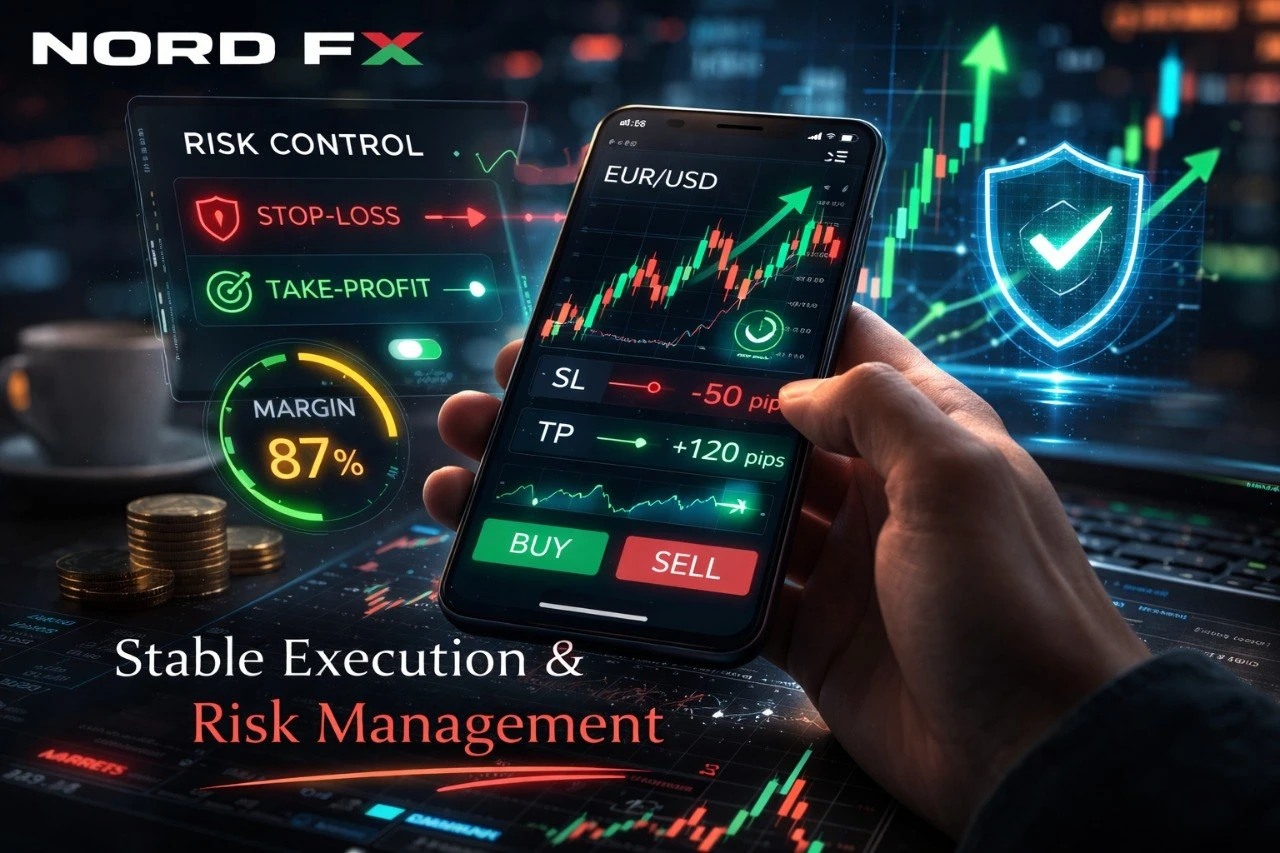
يجب أن يظل تطبيق الفوركس قابلًا للاستخدام أثناء التقلبات العالية. يشمل ذلك الأحداث الإخبارية الكبرى، التحركات المفاجئة للمخاطر، والأسواق السريعة حول افتتاح الأسواق. يجب أن يقوم التطبيق المستقر بتحميل الرسوم البيانية بسرعة، عرض المراكز بشكل صحيح، والسماح لك بوضع، تعديل، وإغلاق الأوامر دون ارتباك.
ابحث عن علامات الاستقرار من خلال اختبار الإجراءات الأساسية بشكل متكرر: تبديل الأطر الزمنية، تحميل عدة رسوم بيانية، وضع أوامر معلقة، تغيير وقف الخسارة وجني الأرباح، والتحقق مما إذا كانت مراكزك المفتوحة تظهر فورًا.
2) عرض واضح لتكاليف التداول
يمكن أن تشمل تكاليف تداول الفوركس الفارق، العمولة (اعتمادًا على نوع الحساب)، والمقايضات (التمويل الليلي). يجب أن يجعل التطبيق الجيد هذه التكاليف سهلة الفهم، وليس مخفية خلف القوائم.
إذا كنت تقارن التطبيقات، تحقق دائمًا مما إذا كانت المنصة تعرض الفروق بوضوح على شاشة الاقتباس وما إذا كانت مواصفات العقد متاحة داخل التطبيق. عندما تكون التكاليف غير واضحة، غالبًا ما يلوم المتداولون "سوء الحظ" على النتائج التي تكون في الواقع مدفوعة بالرسوم.
3) أدوات إدارة المخاطر التي يسهل استخدامها
يجب أن يجعل تطبيق الفوركس الصديق للمبتدئين من السهل ضبط حجم المركز، وقف الخسارة، وجني الأرباح، لأن هذه ليست ميزات "متقدمة" - إنها أساسية. تقلل أفضل التطبيقات الاحتكاك حول الانضباط.
انتبه إلى عدد النقرات التي يتطلبها ضبط وقف الخسارة، وما إذا كان يمكنك تعديله بسرعة، وما إذا كان التطبيق يعرض هامشك، حقوق الملكية، والهامش الحر بوضوح. إذا كانت هذه المقاييس تبدو مدفونة، فمن المرجح أن تأخذ مخاطر غير مقصودة.
إذا كنت تريد تفسيرًا أعمق للميكانيكا وراء الهامش، الفارق، والتنفيذ، فإن هذا النظرة العامة مفيدة: كيف يعمل التداول.
4) جودة الرسوم البيانية وراحة التحليل على الهاتف المحمول
لن تشعر الرسوم البيانية على الهاتف المحمول أبدًا بأنها متطابقة مع سطح المكتب، لكن أفضل تطبيقات الفوركس تجعل التحليل الفني واقعيًا بدلاً من مؤلم. تحقق مما إذا كان التطبيق يقدم أنواعًا متعددة من الرسوم البيانية، تكبيرًا سلسًا، مقياسًا نظيفًا، وتغييرات سريعة في الأطر الزمنية.
إذا كنت تعتمد على المؤشرات، تأكد من أن التطبيق يدعم المؤشرات التي تستخدمها بالفعل وأن الإعدادات سهلة التخصيص. بعض التطبيقات تدعم المؤشرات تقنيًا ولكن تجعلها صعبة للغاية على الهاتف المحمول لدرجة أن المتداولين يتوقفون عن استخدامها بشكل صحيح.
5) أنواع الأوامر التي تتناسب مع أسلوبك
بالنسبة للعديد من المتداولين، الفرق بين تطبيق محبط وتطبيق رائع هو كيفية تعامله مع وضع الأوامر. الأوامر السوقية هي البداية فقط. يمكن أن تكون الأوامر المعلقة (الحد والإيقاف)، وقف الخسارة وجني الأرباح، الإغلاقات الجزئية، والإيقافات المتحركة مهمة للغاية، خاصة للتداول اليومي.
إذا كنت تتداول الاختراقات أو التراجعات، يجب أن تشعر عمليات الأوامر المعلقة بأنها طبيعية. إذا كان وضع أمر شراء بسيط يبدو كأنه لغز، فإن التطبيق ليس مصممًا لأسلوب تداولك.
6) التنقل السريع والمراقبة "بنظرة واحدة"
يجب أن يساعدك التطبيق في الإجابة على الأسئلة الرئيسية بسرعة: ما هو تعرضي؟ ما هو الربح/الخسارة العائم؟ ما هو مستوى الهامش الخاص بي؟ ما الذي تغير منذ آخر مرة تحققت فيها؟
غالبًا ما يكون أفضل تطبيق فوركس هو الذي يمنحك نظرة عامة نظيفة دون إجبارك على الدخول في شاشات غير ضرورية. يصبح التنقل الجيد مهمًا بشكل خاص عندما تتداول أدوات متعددة.
7) الوعي بالأخبار والتقويم
يقلل العديد من المتداولين من تقدير عدد المرات التي تتحرك فيها الأسواق بسبب الأحداث المجدولة. حتى إذا كنت متداولًا تقنيًا، فإن معرفة متى تحدث الإصدارات ذات التأثير العالي يساعدك على تجنب الوقوع في الارتفاعات المفاجئة.
تتضمن بعض التطبيقات تقويمًا اقتصاديًا؛ يعتمد البعض الآخر على مصادر خارجية. يمكن أن يعمل أي نهج، لكنك تحتاج إلى عادة متسقة. إذا كنت تريد تدفقًا من التحديثات والتحليلات السوقية من جانب الوسيط لتتوافق مع سير عمل التداول الخاص بك، يمكنك متابعة: أخبار السوق.
8) مرونة الحساب وتغطية الأدوات
قد يبدو التطبيق رائعًا ولكنه يكون محدودًا إذا كان يدعم قائمة أدوات ضيقة فقط أو يفتقر إلى هيكل الحساب الذي تحتاجه. غالبًا ما يبدأ المتداولون بأزواج الفوركس الرئيسية ثم يضيفون المؤشرات، المعادن، أو عقود الفروقات على العملات المشفرة اعتمادًا على استراتيجيتهم وملف المخاطر الخاص بهم.
يساعد عندما يتصل تطبيق التداول الخاص بك بسلاسة بأنواع الحسابات التي تناسب الأساليب المختلفة (على سبيل المثال، فروق أقل مقابل تسعير أبسط). يمكنك مراجعة الخيارات المتاحة والهيكل هنا: حسابات التداول.
9) الأمان والوصول الآمن إلى الحساب
يجب أن يدعم تطبيق الفوركس طرق تسجيل الدخول الآمنة ويحميك من المخاطر الواضحة للحساب. كلمات المرور القوية، الوصول الآمن إلى الجهاز، والتعامل الحذر مع ميزات استعادة الحساب تهم أكثر مما يعتقد العديد من المتداولين.
إذا كان التطبيق يبدو غير مبالٍ بالأمان، فاعتبر ذلك علامة تحذير.
إذن، ما هو أفضل تطبيق فوركس لمعظم المتداولين؟
بالنسبة لجزء كبير من المتداولين، فإن أفضل إجابة هي: النسخة التطبيقية لمنصة تداول مثبتة تقدم رسومًا بيانية قوية، معالجة أوامر موثوقة، واعتمادًا واسعًا. تميل التطبيقات القائمة على المنصة إلى الفوز في وظائف التداول لأنها مبنية للتداول أولاً، وليس للترقيات أو "رحلات الاستثمار" المبسطة.
ومع ذلك، يمكن أن تكون تطبيقات الوسيط الخاصة ممتازة إذا كنت تقدر البساطة، التمويل المتكامل والدعم، وواجهة مبسطة تساعدك على تجنب تعقيد التداول.
النهج الأكثر عملية هو إعداد قائمة مختصرة لتطبيقين: خيار قائم على المنصة وخيار خاص بالوسيط، ثم اختبار كلاهما باستخدام نفس القائمة المرجعية.
كيفية اختبار تطبيق فوركس بشكل صحيح قبل استخدام المال الحقيقي
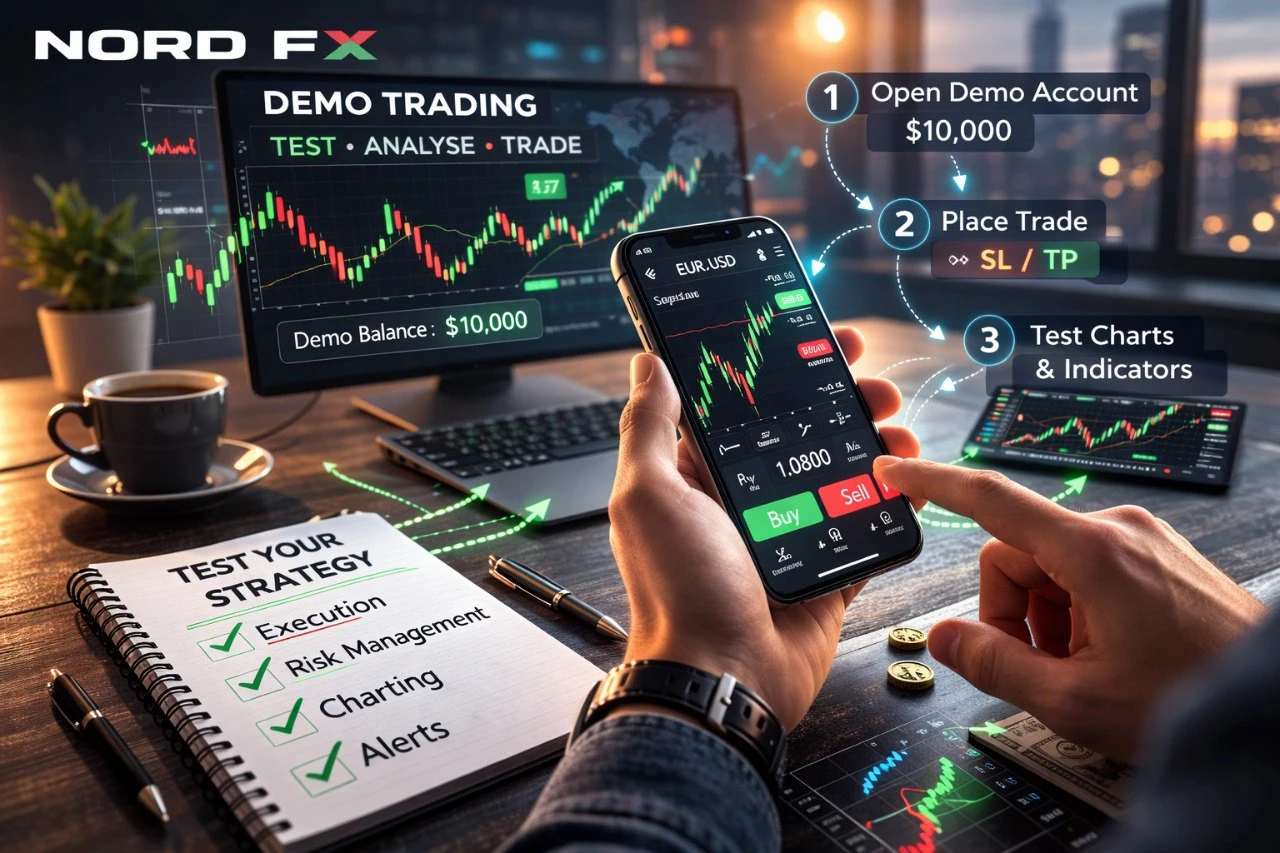
يستغرق الاختبار الجيد أقل من ساعة ويوفر الكثير من الإحباط لاحقًا. ابدأ بتثبيت التطبيق واستكشافه دون التداول. ثم افتح حسابًا تجريبيًا وحاكي سير العمل الحقيقي الخاص بك.
ضع صفقة على زوج رئيسي، اضبط وقف الخسارة وجني الأرباح، ثم قم بتعديلها. ضع أمرًا معلقًا، ألغِه، ثم ضع آخر. افتح عدة رسوم بيانية وأضف المؤشرات التي تستخدمها بالفعل. قم بالتبديل بين الوضع الرأسي والأفقي. تحقق من عرض التعرض والهامش. أنشئ تنبيهات الأسعار إذا كانت متاحة.
التطبيق الذي يبدو "واضحًا" ومستقرًا خلال هذه العملية هو عادة الخيار الأفضل، حتى لو كان تطبيق آخر يبدو أكثر جاذبية.
الأخطاء الشائعة التي يرتكبها المتداولون عند اختيار أفضل تطبيق لتداول الفوركس
خطأ شائع هو اختيار تطبيق لمجرد أنه شائع في متاجر التطبيقات. يمكن أن تعكس التقييمات تجربة الإعداد أكثر من جودة التنفيذ والرسوم البيانية الحقيقية.
خطأ آخر هو التركيز على عدد الميزات بدلاً من سهولة الاستخدام. يمكن أن يكون التطبيق المعقد الذي يبطئك أسوأ من التطبيق الأبسط الذي يحافظ على انضباطك.
خطأ ثالث هو تجاهل التكاليف. قد يقول المتداول، "أحب هذا التطبيق"، لكن المشكلة الحقيقية ليست في التطبيق - إنها في شروط التداول ومدى وضوح التطبيق في مساعدتك على فهمها.
أخيرًا، يتخطى العديد من المتداولين اختبار الحساب التجريبي ويكتشفون نقاط الضعف فقط أثناء التقلبات الحية، وهو أسوأ وقت لتعلم واجهة.
أفضل تطبيق فوركس هو الذي يدعم اتخاذ قراراتك
يجب ألا يدفعك تطبيق الفوركس إلى الإفراط في التداول. يجب أن يساعدك في التخطيط، التنفيذ، وإدارة المخاطر بأقل احتكاك. أفضل تطبيق للمبتدئين هو غالبًا الذي يجعل وضع وقف الخسارة ومراقبة المراكز بسيطًا. أفضل تطبيق للمتداول المتمرس هو غالبًا الذي يحافظ على الرسوم البيانية، التنفيذ، وإدارة الأوامر سريعًا وموثوقًا.
إذا كنت تريد نقطة انطلاق قوية، ركز على تطبيق يجمع بين التنفيذ المستقر، التكاليف الواضحة، الضوابط المناسبة للمخاطر، والرسوم البيانية القوية، ثم قم ببناء روتينك حوله. تهم استراتيجيتك، لكن الأداة التي تستخدمها كل يوم يجب أن تجعل العادات الجيدة أسهل، وليس أصعب.
عندما تقيم التطبيقات بهذه العقلية، يتوقف "ما هو أفضل تطبيق فوركس" عن كونه سؤالًا غامضًا على الإنترنت ويصبح قرارًا عمليًا يمكنك اتخاذه بثقة.
العودة العودة